
Don't type.
Just speak.
Transform your thoughts into perfectly structured text in real-time. EchoWrite lives where you work, handling the formatting so you can focus on the thinking.
Windows 10/11 · Free · No data collection

Talk, don't type
Speaking is 5x faster than your keyboard. Record your ideas at the speed of thought.
Zero Fluff
Instant removal of "umms", "ahhs", and mistakes. Get polished, ready-to-use text every time.
Global Voice
Speak your language, type in theirs. Real-time translation into any app.
Voice Shortcuts
Define your rules. Summarize, format, or style your text with simple voice commands.
Your cursor's new
best friend.
EchoWrite isn't a sandbox. It's a system-wide upgrade. If you can type there, you can speak there. Slack, Notion, VS Code, or your browser — it just works.
One tool. Every language.
Switch languages mid-sentence. EchoWrite detects automatically — no settings, no friction.
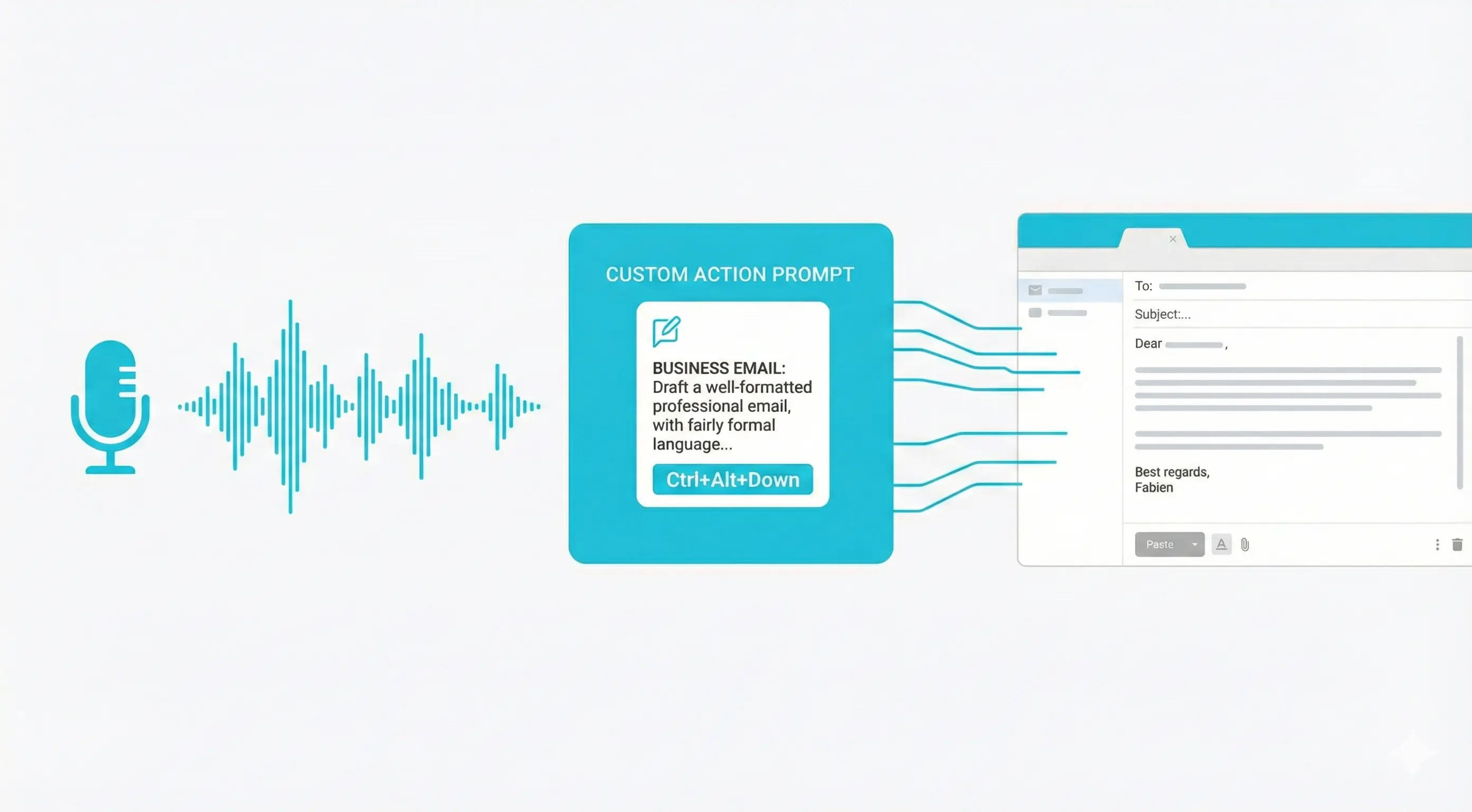
Speak messy.
Output Masterpieces.
Transcription is just the beginning. Use Custom Prompts to reshape your raw speech into professional outputs instantly.
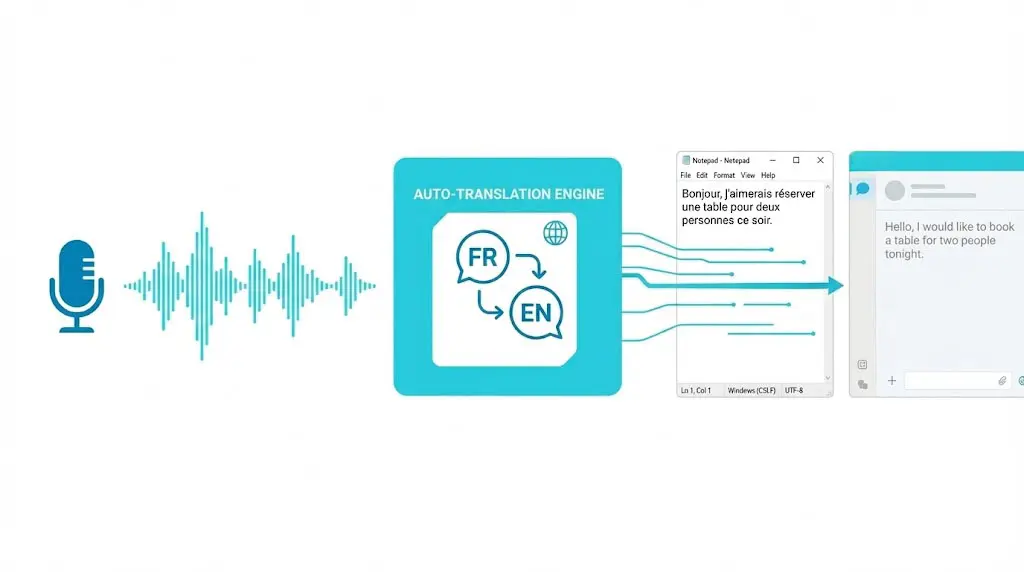
Break Language Barriers Live
Speak in your language. Type in theirs.
- Configure a target language once
- Speak naturally in your native tongue
- EchoWrite types the translation instantly
Cloud Power.
Offline Privacy.
Why trust a third-party server with your ideas? EchoWrite gives you the choice at every step — for both transcription and text processing. Use OpenAI for maximum quality, or download local models and run everything 100% on-device: Whisper for transcription, Llama or Mistral for translation and custom prompts. No internet, no API key, no data leaves your machine.
From Voice to Text in Three Simple Steps
Configure Your Key
Paste your OpenAI API key once — or skip it entirely and use a local model. Your key is encrypted locally. We never see it.
Press Global Hotkey
Use the default Ctrl+Space or set your own. EchoWrite listens in the background while you stay focused on your active window.
Watch it Type
Release the key. Your audio is transcribed, optionally transformed, and typed out instantly where your cursor is.
Built for developers, writers, and thinkers who value their time and their privacy.
What users are saying




Simple, Transparent Pricing
Free Forever
Yearly License
Lifetime License
Your thoughts deserve
better infrastructure.
Stop fighting your keyboard. Start thinking out loud.
Frequently Asked Questions
Why choose EchoWrite over a monthly subscription?
Most apps charge you $20/month to "wrap" an API that costs pennies. EchoWrite is a pro tool: you pay for the software once, and you control your data and costs.
How "local" is the local mode?
Completely. When using local models, EchoWrite functions without an internet connection. Your GPU/CPU handles the heavy lifting, ensuring your data never touches the wire.
Do Custom Prompts and Translation work offline?
Yes — fully. EchoWrite includes built-in local LLMs (Llama 3.2 3B and Mistral 7B) that run entirely on your device. When "Text Processing (AI)" is set to Local, Custom Prompts and Translation work with no internet connection and no API key required. You can also use OpenAI's API for maximum quality — the choice is yours, and both pipelines are configured independently.
Do I need my own OpenAI API Key?
No — but you can. EchoWrite supports both modes. Use your own OpenAI key for maximum accuracy (BYOK), or run a local Whisper model completely offline and free. Your choice.
How much does the API cost?
Incredibly affordable. OpenAI's Whisper API costs $0.006 per minute — over 2 hours of audio for less than $1. For typical daily usage, your monthly bill will likely be just a few cents.
Is my voice data private?
Absolutely. EchoWrite processes your audio locally to prepare it, then sends it directly to OpenAI using your personal key. Your audio and transcriptions never touch our servers.
Does it work on Mac or Linux?
Currently, EchoWrite is built natively for Windows 10 and Windows 11. Mac support is not currently planned.